Teaching
Organising the start of a DIU academic year
Rebuild the mailing list, settle the calendar, prepare the emails in the right order: the start of year of a multi-site diploma in one session.
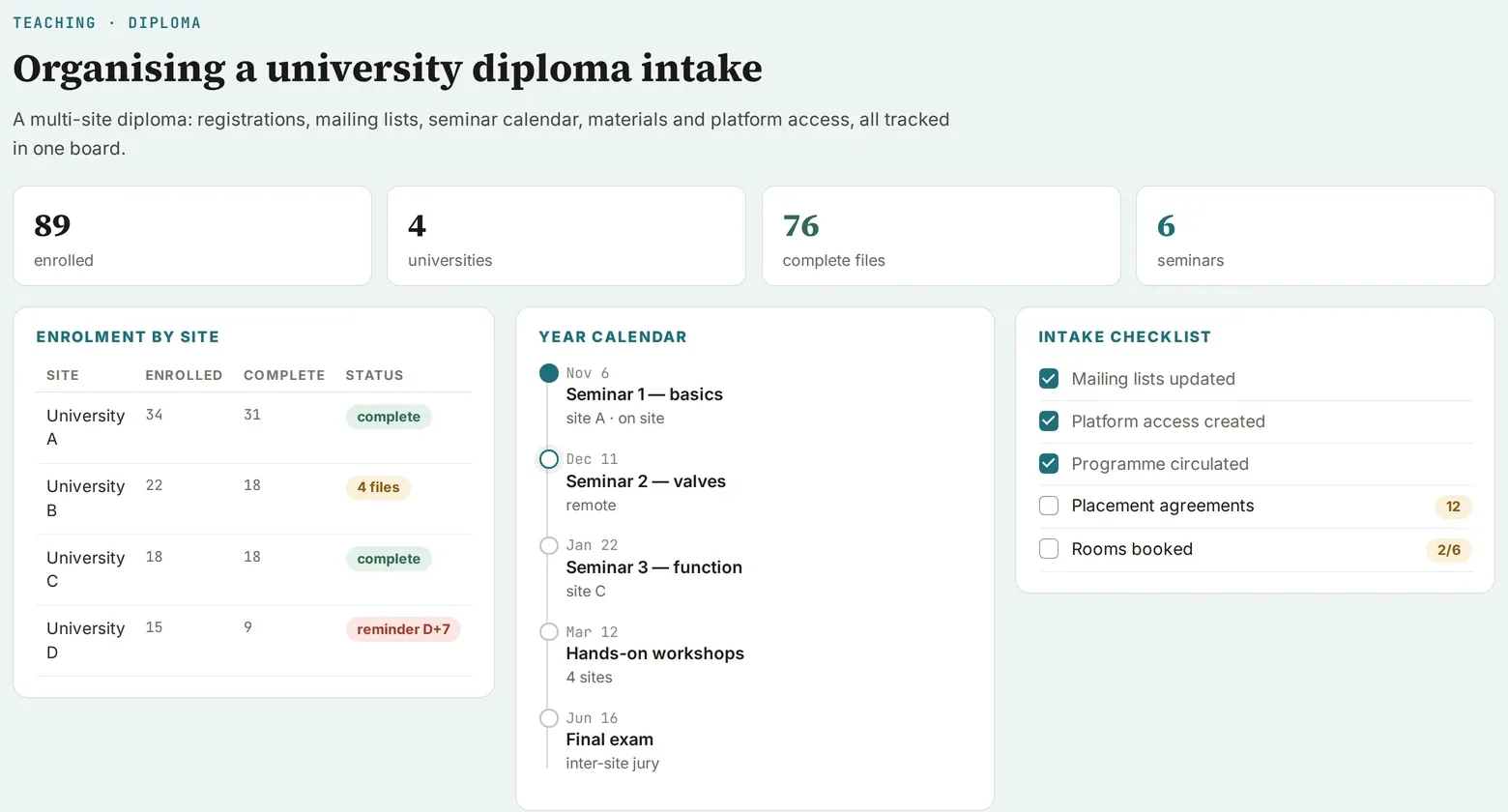
Screenshot of a real tool · fictitious data, names blurred
The problem
A DIU (inter-university diploma) means several sites, student lists that change every year, local coordinators, an administrative office, and dates to fit around national congresses. Everything often rests on last year’s group email.
Step-by-step method
-
Rebuild the mailing list by cross-checking last year’s group email, the results report (PV) and the email archives.
-
Deduplicate and classify each person: keep, remove, to be decided, teaching team. Claude flags anomalies: a student who failed still listed, an address assigned to the wrong person, an external contact in a teaching list.
-
Propose two calendar options, checking public holidays, school holidays and the major congresses of the specialty.
-
Prepare the emails in sending order: site coordinators first (with a form to fill in), then students, then the administrative office. Reuse last year’s email, updated.
-
Proofread and send them yourself.
-
Settle what is still open: calendar choice, speakers to confirm, site tables still awaited; each item becomes a checkbox.
Deliverable
A start-of-year page: calendar, mailing table filterable by status and by site, three emails ready to copy.
Safeguards
No sending by the AI. Named lists stay in the working tool and are never published.
Starter prompt
Here is last year’s group email and the results report (PV). Rebuild the start-of-year mailing list, classify each person (keep, remove, to be decided), flag anomalies, then draft the emails to the site coordinators and to the students. Do not send anything.