Case study · Skill
The “conference presentation” skill
From an invitation to speak to a single preparation workshop: entry point, bibliography, bank of past slides, validated storyboard, assembly on your template. The real journey of building the skill, mistakes included.
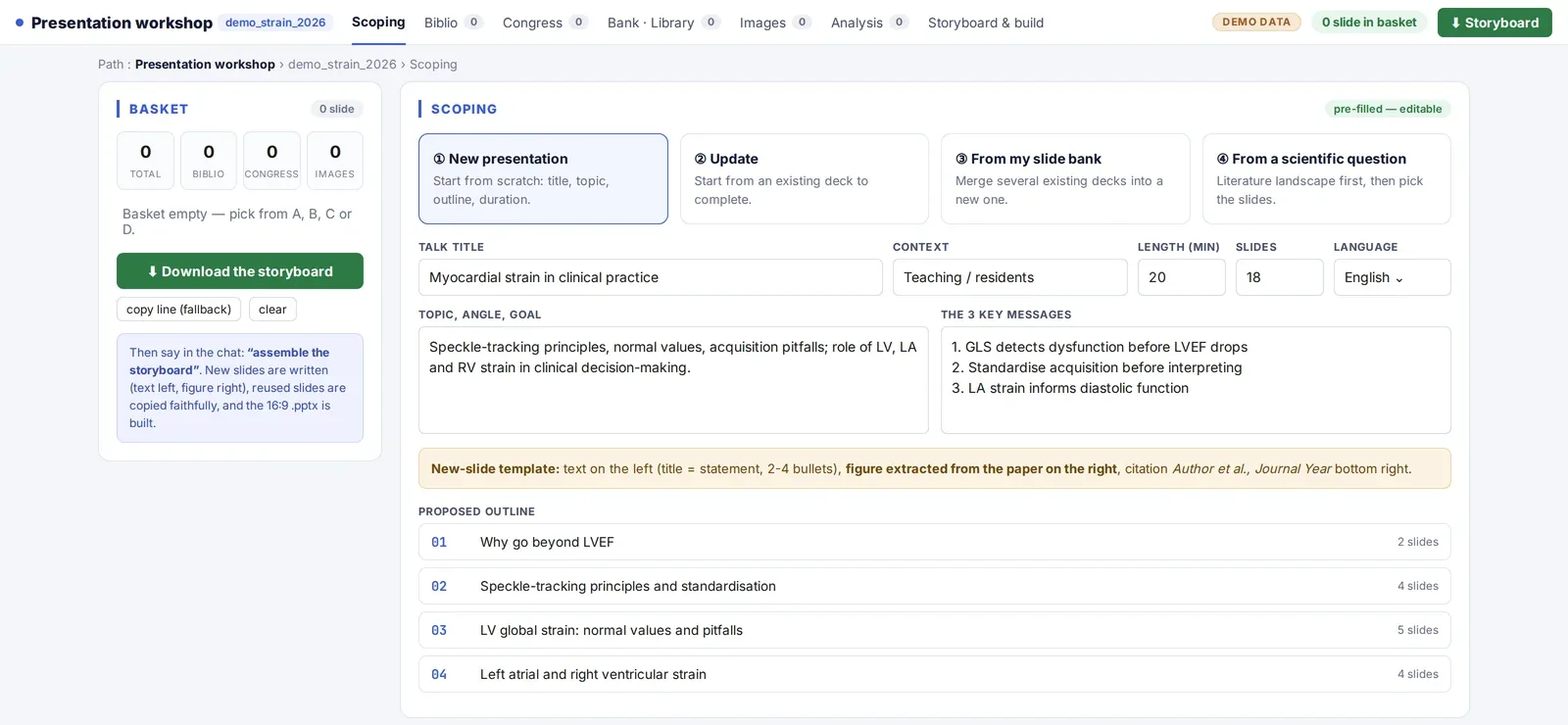
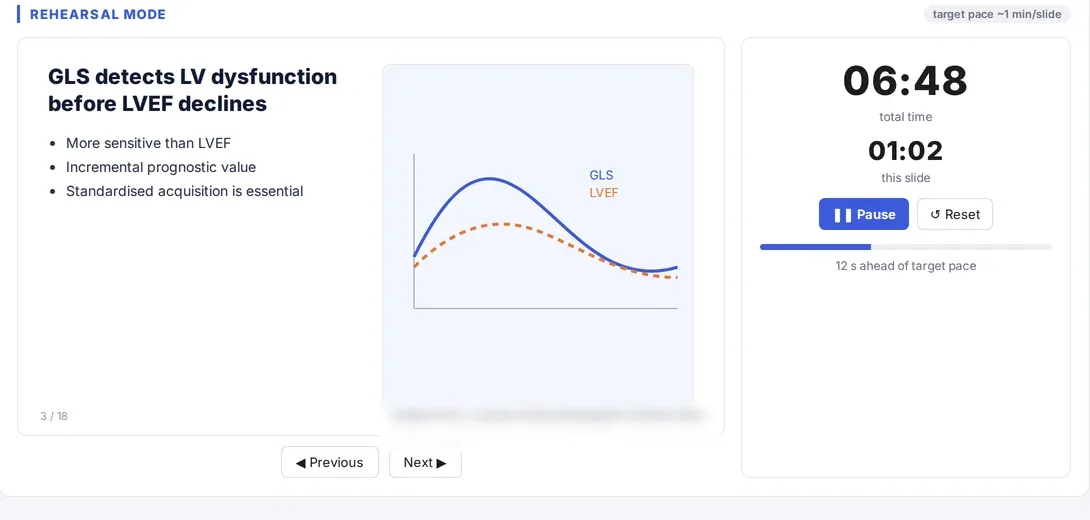
Screenshot of a real tool · fictitious data, names blurred
Idea
What problem, in one sentence?
State the problem in one sentence
“With every invitation I start from a blank page, even though I have presented similar topics ten times, and the figures on my slides are no longer sourced.” The problem is not making slides; it is finding, checking and assembling.
DifficultyThe first request was “make me a PowerPoint on this topic”; the result was generic and unsourced.
SolutionGive up on direct generation: the tool must first find what already exists and source what is missing.
!A deck generated in one go looks finished and never is. The danger is presenting it.
Choose the form of the tool
An orchestrator skill: it makes nothing itself; it asks the framing questions, calls the specialised building blocks (bibliography, bank of past slides, imaging, online conference materials) and assembles at the end. Each building block can still be used on its own.
!A single entry point for every presentation: bypass the orchestrator and you lose the framing and the traceability.
Concept
What will the tool be, and what will it do?
Set the entry point first
The first question, always the same: start from a blank page, from the bank of past slides, from updating a specific presentation, from a scientific question (which triggers a literature synthesis), or resume a recent presentation in progress.
What to tell Claude“I have to give a 20-minute talk on [topic] at [conference]. Before anything else, ask me the entry-point question, then the framing questions one at a time.”
Frame before producing
Topic and angle, format (duration, session type, required template), audience, available material, and above all three take-home messages, written before the first slide. Formatting rules set once and for all: 16:9, roughly one slide per minute, scientific content in English, “Author et al., Journal, year” citation on the slide.
Difficulty40-slide decks for 15 minutes.
SolutionA volume rule in the skill and a reminder at the storyboard stage.
!Take-home messages are written before the slides, not after.
Design the single workshop
A single working page with tabs, always all visible even when empty: bibliography, online conference materials, bank of past presentations, imaging, analysis of an uploaded deck, storyboard and generation. A shared “basket” collects what you keep from each tab.
DifficultyClaude produced a new ad hoc page each time, different from the previous one.
SolutionA written rule: one workshop, always the same, regenerated by the same script; never an improvised page presented as a deliverable.
Build
What to ask Claude, in what order?
Index the bank of past presentations
All past presentations are converted to thumbnails and indexed once; later refreshes are incremental (modified files only). The gallery is exhaustive: Claude does not filter on your behalf.
DifficultyClaude preselected “the relevant slides” and missed some.
SolutionRule: exhaustive indexing, never a subset chosen by the AI; you do the ticking.
DifficultySeveral competing indexes appeared in different folders.
SolutionA single canonical index, always reused and refreshed, never recreated elsewhere.
!A reused slide is copied as is (shapes, fonts, animations); harmonisation happens only at the very end, and on request.
Connect the bibliography
The bibliography tab calls the dedicated skill: PubMed search, sorting by year and journal, one slide per reference with two actively sought figures, abstract and identifiers in the notes.
DifficultyA clinical trial flow diagram offered instead of the central figure.
SolutionAn explicit rule in the skill; two figures sought, never just one for convenience.
Reuse online conference materials
For conferences you subscribe to, search the presentations available as PDFs, sort them by page count, keep the useful pages and insert them as full slides, citing the source.
!Strictly within the scope of your subscription; this building block must not appear in a version shared with other users.
Storyboard, then assembly
The storyboard lists every slide, its source and the open points; a timed rehearsal mode helps you practise. The final file is assembled only after your explicit approval, on your personal template.
What to tell Claude“Here is the basket. Propose the storyboard slide by slide, with the source of each and the points to decide. Do not assemble anything before I approve.”
DifficultyFull batch generations launched without approval (photos, videos, figures), slow and needing to be redone.
SolutionRule: nothing is generated in batch without explicit approval for that specific step.
Test
How do you prove it works?
Review slide by slide
Every figure points to a source; every chart is rebuilt from published data or cited; one slide per minute; four bullet points at most. An uploaded deck can also be scored (quality score) without automatic correction.
DifficultyPlausible statistics that could not be found in the cited article.
SolutionSystematic check against the source before validation; any figure not found is removed.
!No invented statistics or citations; this is the rule that is not negotiable.
Protect shared files
The database indexing the presentations lives on a network drive: never open it directly; work on a copy, copy it back, then check the file's checksum.
DifficultyA database corrupted after an interrupted write.
SolutionA working copy every time and an integrity check after copying back.
Go live
How to deliver, publish and sustain it?
Plan ahead at D-30
Every conference talk in the calendar triggers a preparation alert at D-30 in the anticipation dashboard, with a link to the workshop.
!Without an automatic alert, preparation starts the week before.
Close and feed back into the bank
After the conference, the frozen version is archived, new slides go back into the bank, and the project is closed. The next invitation will start from there.
Derive a shareable version
A variant of the skill for colleagues, with no personal paths or folders: framing, bibliography, past presentations and media in local folders, storyboard. Building blocks that raise rights or health-data issues are left out.
!The personal skill stays unchanged; the shared version is a separate skill.