Common foundation
Sorting your email by action
Two email passes a day, sorted not by importance but by action: to reply, to do or to put in the calendar, to file, for information.
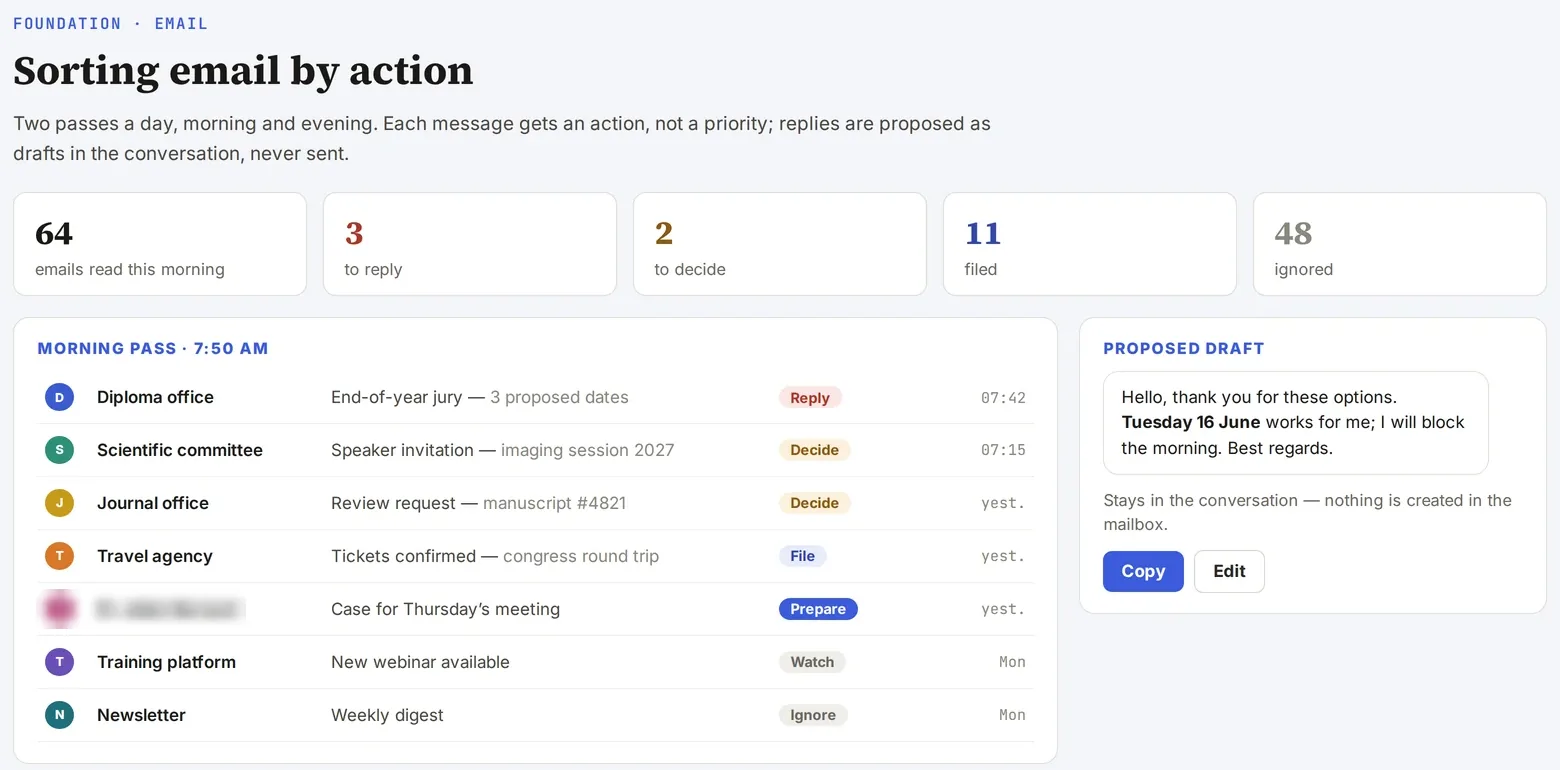
Screenshot of a real tool · fictitious data, names blurred
The problem
Clinical care, faculty, research, learned societies, industry: emails come from everywhere, across several mailboxes, and the question is not “is this important?” but “what do I need to do with it?”.
Step-by-step method
- Connect the mailbox read-only (Gmail connector); for mailboxes that cannot be connected, go through a local client and an index.
- Define four columns:
- To reply: with a draft to copy, never sent by the AI, and a follow-up counter;
- To do / calendar: with the event already written, as “accept / edit / don’t add”;
- To file: attachment extracted and filed, path given;
- For info: the noise is only counted.
- Route each email to the right building block: a faculty email goes to teaching, a call for abstracts to congresses, a protocol to the protocol review skill.
- Decide on the page: your decisions are picked up on the next pass, and recurring ones become learned rules stored in a file.
- Schedule two passes (morning and evening) rather than constant monitoring.
Deliverable
A four-column triage page, twice a day, with draft replies ready to copy.
Safeguards
Strictly read-only: no sending, no drafts, no labels, no archiving by the AI. Flag predatory solicitations (dubious journals or congresses) before any reply.
Starter prompt
Read my unread emails from the last 24 h. Sort them into four columns (to reply, to do/calendar, to file, for info). For “to reply”, propose a short draft to copy. Do not write anything in my mailbox.