Case study · Artifact
The anticipation dashboard
See it coming rather than suffer it: day, week, month and semester horizons; backward-planned deadlines; presentations at D-30; literature watch; administrative recurrences. How the second row of the dashboard was built.
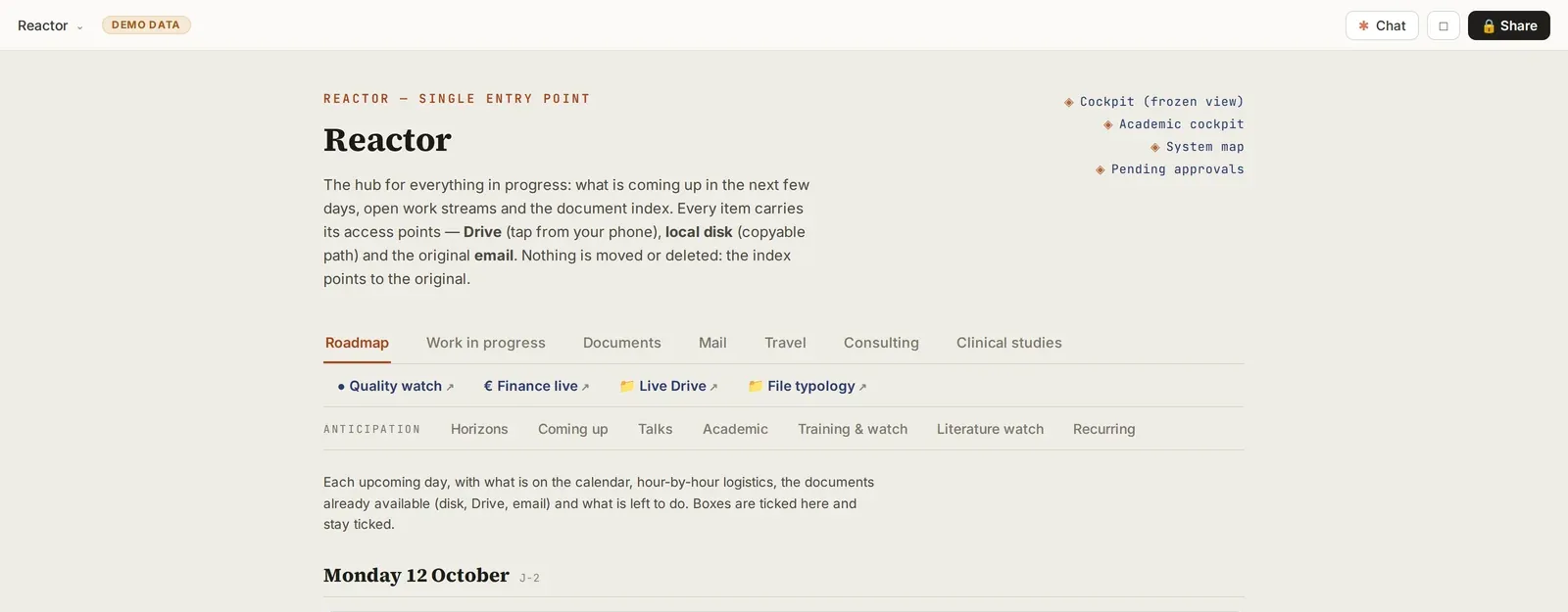
Screenshot of a real tool · fictitious data, names blurred
Idea
What problem, in one sentence?
State the problem in one sentence
“I discover deadlines when they arrive: a lecture next week, an annual application to submit, a conference talk in ten days.” The dashboard showed the present; the future was missing.
DifficultyThe calendar holds the dates, but not what needs to be ready beforehand.
SolutionDistinguish the event (in the calendar) from its preparation (in the anticipation dashboard).
Concept
What will the tool be, and what will it do?
A second row, not a new tool
Rather than one more artifact, a second row of tabs in the existing dashboard: horizons, to anticipate, presentations, academic, training and watch, literature watch, recurrences. A single place to open in the morning.
DifficultyA separate first prototype that nobody (myself included) opened.
SolutionIntegrate it into the single entry point already consulted every day.
!Every new artifact is one more page you will not open. Prefer a tab in what already exists.
Write the lead-time rules
Simple rules, written once: a conference talk triggers an alert at D-30; a lecture at D-30 (slides and questions ready); an exam session at D-15 (papers written); an annual application at D-30 before the submission window. Each alert points to the preparation document or tool.
What to tell Claude“Here are my types of recurring deadlines. For each one, propose an alert lead time, what must be ready at that point, and the tool or document to open.”
!An alert with no link to what needs doing is ignored by the second week.
Four horizons
The day (hour-by-hour logistics, documents already available), the week, the month, the semester. The more distant the horizon, the less detail: at semester level, milestones only.
Build
What to ask Claude, in what order?
Seed it from what exists
Have Claude cross-reference six months of calendar and emails to list deadlines and their candidate documents; you validate each line (index, extract, discard) on a validation page.
DifficultyDuplicates between the calendar and reminder emails.
SolutionDeduplication by date and title, validated by you.
!Seeding reads your emails and calendar; it writes nothing without validation.
Each line carries its access points
For each deadline: the documents already available with their access points (cloud link clickable from your phone, path on the disk, original email) and checkboxes that stay ticked. Nothing is moved: the index points to the original.
DifficultyTicked boxes that became unticked on reload.
SolutionCheckbox state saved in the page itself, not in the browser.
Connect the feeds
Presentations come from the calendar and the conference workshop; the literature watch comes from the watch skill; training comes from the platform watch; recurrences (annual applications, reports, renewals) from a list kept up to date.
Test
How do you prove it works?
Check against the sources
Once a week, compare the dashboard with the calendar: missing events, conflicting dates, alerts passed without action. The list of discrepancies is proposed, never corrected automatically.
DifficultyA date changed in the calendar but not in the dashboard.
SolutionDiscrepancy check in the weekly review.
!The calendar is the reference; the dashboard updates from it, not the other way round.
Go live
How to deliver, publish and sustain it?
Automatic updating
The morning run writes the day's plan, the evening run updates ongoing projects, the weekly run writes the horizons and the watch. In conversation: “add a deadline”, “postpone this milestone”.
!Scheduled tasks are created and changed only with your explicit approval, and they use up your quota.
Read it in two minutes
In the morning, a quick glance: what falls today, what turns red this week. On Sunday, the month ahead. The dashboard is useful only if it reads quickly.