Department & care
Delivering, checking and publishing the schedule
Local preview, automated triple test, double check of half-days and names, then publication in four clicks and online verification.
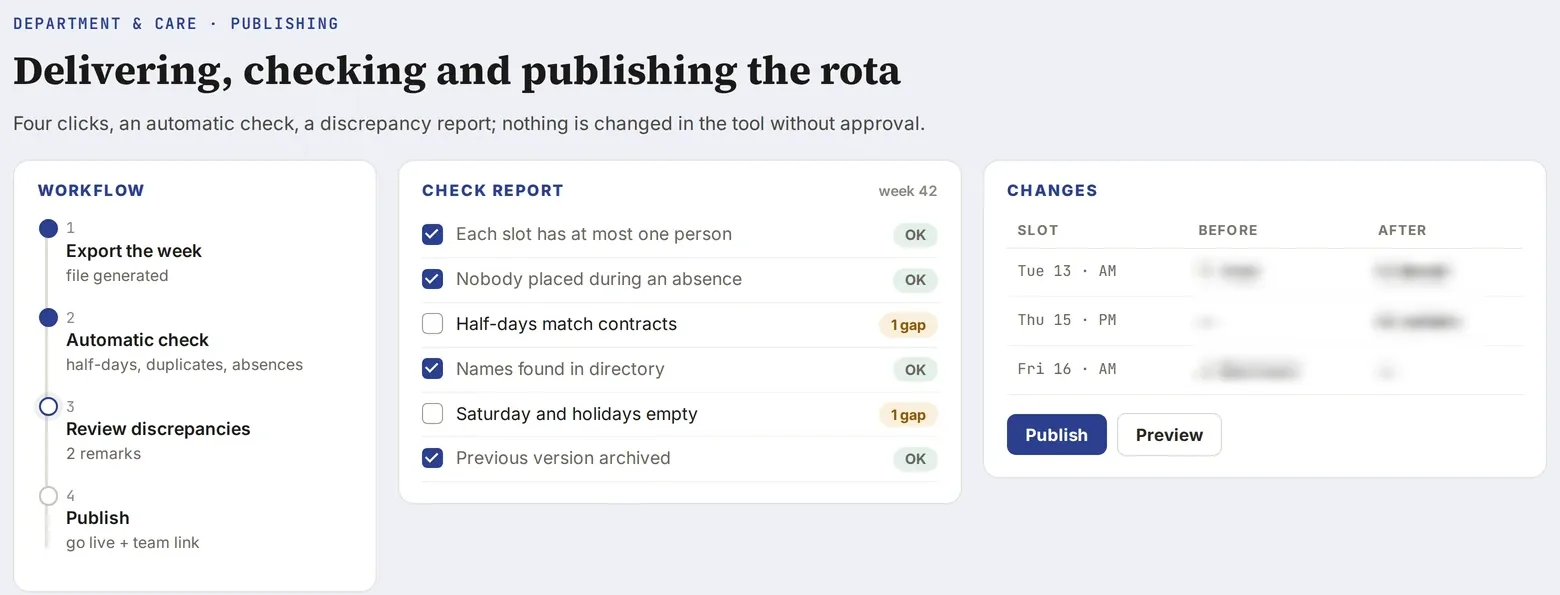
Screenshot of a real tool · fictitious data, names blurred
The problem
A new version of the schedule can erase data, break a tab or display old names on the team’s workstations. And the publication procedure, done once a month, is forgotten from one time to the next.
Step-by-step method
- Start again from the online source, not from a local copy: archive it as is, with the current state of the data.
- Always deliver four things: a local preview to open right away, the file to publish (already renamed
index.htmlin a_A_PUBLIER_vXXfolder), the archived source, and any emails, drafted in the conversation. - Automated triple test (driven browser):
- no script errors, all modules loaded, with and without real data;
- the key views: the month view shows all staff members, absences are displayed;
- the real gestures: importing an absence email, drag-and-drop in a tab, assigning a stand-in.
- Double check of half-days: compare the template schedule with each activity tab, and list the discrepancies (someone scheduled for echocardiography in the template but missing from the echocardiography tab). Nothing is corrected without approval.
- Double check of names against the directory: spelling, identifiers, duplicates, people not found flagged as such.
- Publish in four clicks:
- open the schedule’s GitHub repository;
- “Add file” then “Upload files”;
- drag the
index.htmlfile (it replaces the old one, which is intended); - “Commit changes” on the main branch.
- Check online after a minute: hard reload (Ctrl + F5), version number in the title, new buttons present. A “not connected” banner goes away with the team password.
- Announce: a short email to the secretariat and to the mailbox of the activity concerned, with the others in copy, drafted in the conversation and sent by you.
Deliverable
A tested version, listed discrepancies, a verified publication, and a ready announcement.
Lessons learned
- A frozen copy of the data inside the published file makes old names reappear on new workstations: remove it, and flag any workstation that is not connected.
- Dropping a person onto an occupied cell can create a duplicate: test this gesture with every version.
- A publication procedure must be written for someone who has never done it, including what they should see at the end.
Starter prompt
Here is the online source of the schedule. Apply the requested fix, then deliver the local preview, the file to publish renamed index.html, the triple test, the list of half-day discrepancies and the four-click publication procedure.