Department & care
Imaging: from export to teaching material
Inventory an anonymized echocardiography or MRI export, sort the sequences, produce animated slides and quizzes.
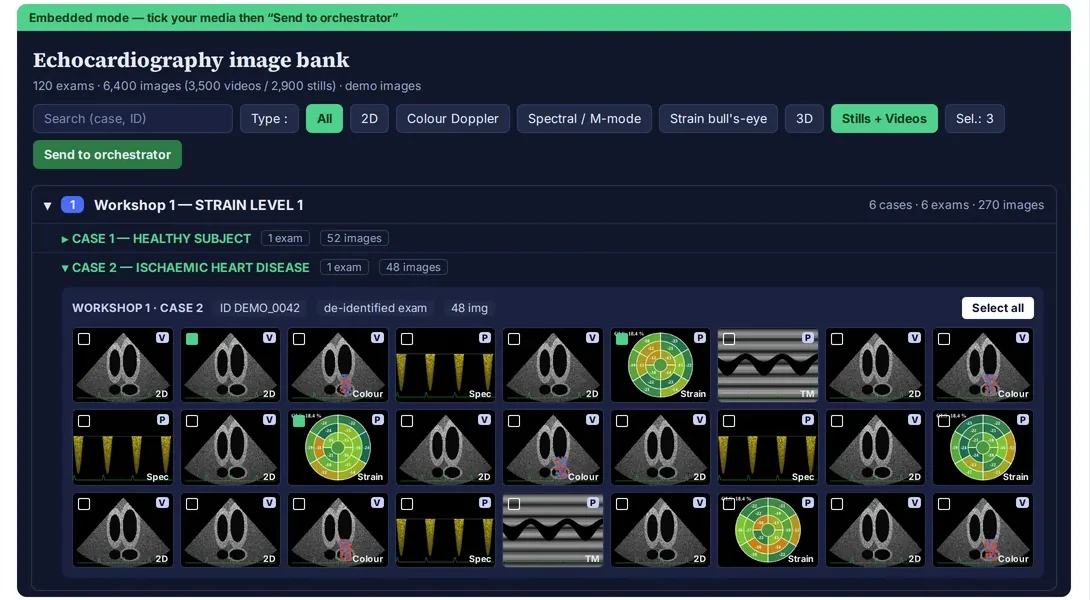
Screenshot of a real tool · fictitious data, names blurred
The problem
The best teaching images lie dormant in imaging exports (DICOM) that are hard to browse. Turning them into animated loops in a presentation is slow and repetitive.
Step-by-step method
- Export with anonymization from the workstation or the PACS (the export’s anonymization function), into a local folder.
- Have the export inventoried locally (Cowork or Claude Code): series, sequence types (views, Doppler, strain, cine, late gadolinium enhancement…).
- Sort and select the sequences that serve the teaching message.
- Generate a standardized PowerPoint: for example, four animated loops per slide, black background, technical information in the speaker notes.
- Build an image bank that can be filtered by sequence type and topic, and quizzes based on the cases.
- Compare over time: before/after treatment, visit by visit.
Deliverable
Consistent animated slides, a teaching image bank and quizzes.
Safeguards
Files are processed on the workstation. Check that anonymization is effective (metadata and burned-in annotations) before any use outside the department.
Starter prompt
Here is an anonymized echocardiography export folder. Inventory the series, sort them by view and mode, and propose a selection of 8 loops for a workshop on ventricular function. Do not move any file.